
CMMC Compliance for Manufacturing: What CNC Shops Need to Know
If you’re a CNC shop owner, you’ve probably heard the term CMMC thrown around by your customers. Maybe you’ve gotten an email asking about your “cybersecurity certification,” or worse, you’ve been told you need it to keep your contract.
Here’s the reality: CMMC isn’t going away. And without it, you can’t bid on or keep DoD work. Period.
In Short:
- CMMC is mandatory for any manufacturer in the DoD supply chain handling CUI (technical drawings, specs, work orders)
- Most CNC shops need Level 2 (110 security practices, third-party assessed)
- Timeline: 6-12 months minimum from start to certification
- Cost: $75K-$180K over 3 years for a typical 20-person shop
- ROI: One lost contract ($500K-$5M) far exceeds compliance costs
- Prime contractors are requiring it NOW, not waiting for official deadlines
If you manufacture parts for defense contractors—even as a Tier 2 or Tier 3 supplier—keep reading. This guide will walk you through what CMMC means for your shop and how to get compliant without breaking the bank.
What is CMMC and Why Should Your Shop Care?
CMMC stands for Cybersecurity Maturity Model Certification. It’s the DoD’s way of making sure contractors protect sensitive information.
If you’ve ever received a drawing marked “CUI” or “Export Controlled,” you’re already handling data that falls under CMMC requirements. Most shops don’t realize that simple CAD files, work orders, and even emails about DoD projects count as Controlled Unclassified Information (CUI).
The bottom line: No CMMC certification = No DoD contracts.
As of 2026, the DoD is enforcing this across the entire supply chain. That precision machining job you’ve been doing for 15 years? You’ll need to prove you can protect the data, or you’ll lose it to a competitor who can.
Understanding CMMC Levels: Where Does Your Shop Fit?
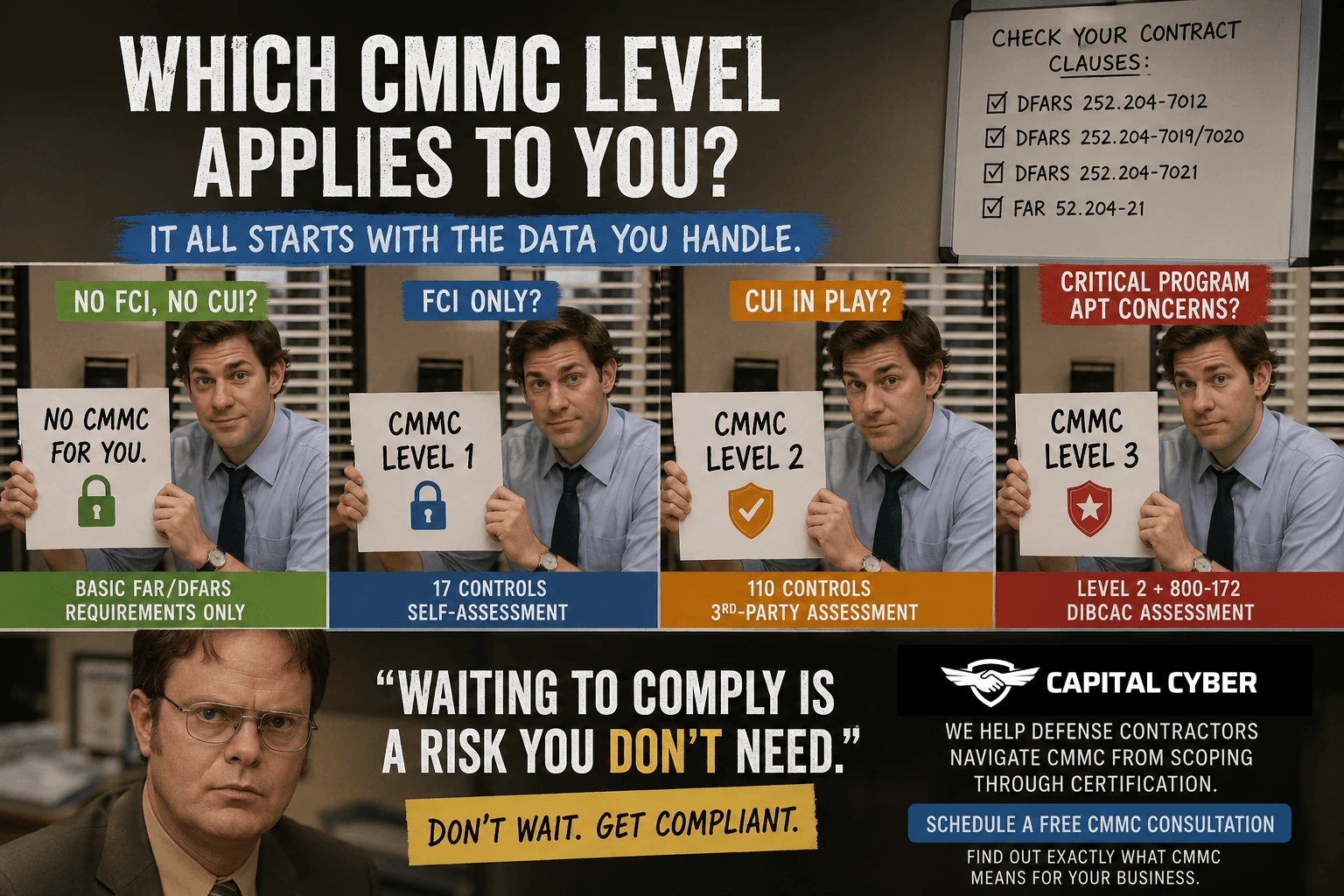
CMMC has three levels. Most CNC shops need Level 2.
Level 1 (Basic Cyber Hygiene)
- 17 practices
- Self-assessment only
- Only for contracts with Federal Contract Information (FCI)—basic admin stuff like invoices
Level 2 (Advanced Cyber Hygiene)
- 110 practices (this is where you need to be)
- Third-party assessment required
- Protects Controlled Unclassified Information (CUI)
- Applies to most manufacturing work
Level 3 (Expert/Advanced)
- 110+ practices for highest-risk programs
- Government assessment
- Rare for typical subcontractors
Rule of Thumb: If you handle technical drawings, specifications, or any data from defense contractors beyond basic contracts and invoices, you need Level 2.
What CUI Looks Like in Your Shop
Many shop owners don’t realize they’re already handling CUI. Here’s what it actually looks like on your shop floor:
- Technical drawings marked “ITAR” or “Export Controlled”
- CAD/CAM files for defense-related parts
- Part specifications from prime contractors
- Inspection reports and quality data
- Engineering change orders (ECOs)
- Work orders with customer-proprietary information
- Emails discussing technical details of DoD projects
Real-world example: One 30-person machine shop discovered they had over 500 CUI files just by searching for “Distribution Statement” across their file servers. They thought they only had a dozen drawings to worry about.
The 7 CMMC Domains That Matter Most for CNC Shops
CMMC Level 2 covers 14 domains, but here are the ones that will have the biggest impact on your shop:
1. Access Control
What it means: Control who can see your CAD files and customer data.
For your shop:
- No more shared passwords on shop floor computers
- Every employee needs their own login
- Multi-factor authentication (MFA) on all systems
- Remove access immediately when someone leaves
Common gap: Using “admin/admin” or “shop/shop” on CNC machine computers.
Quick fix: Set up unique accounts for every employee who touches engineering files. Use Microsoft Azure AD or similar ($6/user/month).
2. Encryption
What it means: Scramble your data so hackers can’t read it.
For your shop:
- Encrypt laptops and servers (BitLocker is free on Windows)
- No emailing drawings without encryption
- Secure USB drives only ($80 each for IronKey or similar)
- VPN for remote access
Common gap: Emailing CAD files as plain attachments or using regular USB drives.
Quick fix: Enable BitLocker on all Windows computers (takes 10 minutes per machine). Use encrypted email (Microsoft 365 E3 includes this).
3. Software Updates
What it means: Keep your systems patched and up to date.
For your shop:
- Update Windows, CAD/CAM software, ERP systems monthly
- Apply critical security patches within 7 days
- No more Windows 7 on networked machines
Common gap: Running Windows XP or 7 on legacy CNC machines.
Quick fix: Air-gap old machines (disconnect from network) or use isolated networks. Document this for your auditor.
4. Incident Response
What it means: Have a plan for when something goes wrong.
For your shop:
- Written plan for ransomware, data theft, system failure
- Contact list for IT support and your customers
- Backup and recovery procedures tested quarterly
- Train employees to report suspicious emails
Common gap: No plan. Just hope it doesn’t happen.
Quick fix: Write a one-page plan with phone numbers, backup locations, and who to call. Test it once. ($0 cost, 2 hours of time)
5. Media Protection
What it means: Protect physical and digital media with CUI.
For your shop:
- Label all CUI (drawings, USB drives, printed specs)
- Shred old drawings (don’t throw in trash)
- Wipe or destroy old hard drives
- Lock up backup drives
Common gap: Donating old PCs with customer data still on them.
Quick fix: Buy a cross-cut shredder ($200) and use DBAN or a certified e-waste vendor for old drives ($50-$200).
6. Physical Security
What it means: Control who walks into areas with CUI.
For your shop:
- Lock engineering offices after hours
- Visitor sign-in log
- Badge access for sensitive areas (if needed)
- Security cameras at entry points
Common gap: Anyone can walk into the office where engineering workstations are.
Quick fix: Lock the door. Install a $50 keypad lock if needed. Add a visitor log sheet ($0).
7. Training
What it means: Make sure your people know the rules.
For your shop:
- Annual security training for all employees
- Phishing awareness (click this, not that)
- How to handle CUI properly
- Document who completed training
Common gap: Never trained anyone, or trained once 5 years ago.
Quick fix: Use KnowBe4 ($3,000/year for 30 users) or DIY with YouTube videos + sign-off sheet ($0).
The Biggest Challenges for CNC Shops
Challenge 1: Legacy Equipment
Your CNC machines might run on Windows XP or even DOS. These can’t be secured with modern tools.
Solution: You don’t have to replace them. The DoD allows “specialized assets” that can’t meet full requirements as long as you:
- Disconnect them from your main network (air-gap)
- Document the risk and your mitigation plan
- Show why upgrading isn’t feasible
Real-world example: A defense machinist with 15 CNC machines on Windows XP air-gapped them into a separate shop floor network. They transfer G-code files via encrypted USB drives. Assessor approved it.
Challenge 2: Small IT Budgets
Most shops spend 1-3% of revenue on IT. CMMC can feel like a big hit.
Reality check:
- Year 1 investment: $45K-$115K (assessment, upgrades, consulting)
- Annual maintenance: $10K-$20K
- Value of one lost contract: $500K-$5M+
ROI: If CMMC protects even one contract, you’re ahead.
Challenge 3: No IT Staff
You’re the owner, shop manager, and part-time IT person all in one.
Solution: Outsource it.
- Managed Security Service Providers (MSSPs) with CMMC expertise: $2K-$5K/month
- vcso-services/”>Virtual CISO (vCSO) for strategy and planning: $2K-$4K/month
- CMMC consultants for project management: $15K-$40K one-time
Rule of Thumb: Don’t try to DIY this unless you have in-house IT staff. CMMC requires specialized knowledge.
Challenge 4: Timeline Pressure
Prime contractors aren’t waiting for the official deadline. They’re requiring CMMC NOW.
Timeline to certification:
- Preparation: 3-6 months
- Gap remediation: 2-4 months
- Assessment scheduling: 1-2 months
- Total: 6-12 months minimum
Action: If you haven’t started, you’re already behind.
Step-by-Step: Getting to CMMC Level 2
Month 1: Assessment
Week 1-2:
- List all computers, servers, CNC machines, networks
- Identify where CUI lives (file servers, email, CAD workstations)
- Map how CUI flows (email → engineer → CAD → shop floor)
Week 3-4:
- Compare your current setup to the 110 practices
- Identify gaps (missing MFA, no encryption, weak passwords)
- Prioritize by risk and cost
Month 2-3: Quick Wins
Knock out the easy stuff first:
- ✅ Enable MFA on all accounts (Microsoft 365, Google Workspace)
- ✅ Update all passwords (12+ characters, complexity rules)
- ✅ Install antivirus on every computer
- ✅ Start security awareness training
- ✅ Enable BitLocker encryption on laptops
Month 4-5: Infrastructure Upgrades
The harder stuff:
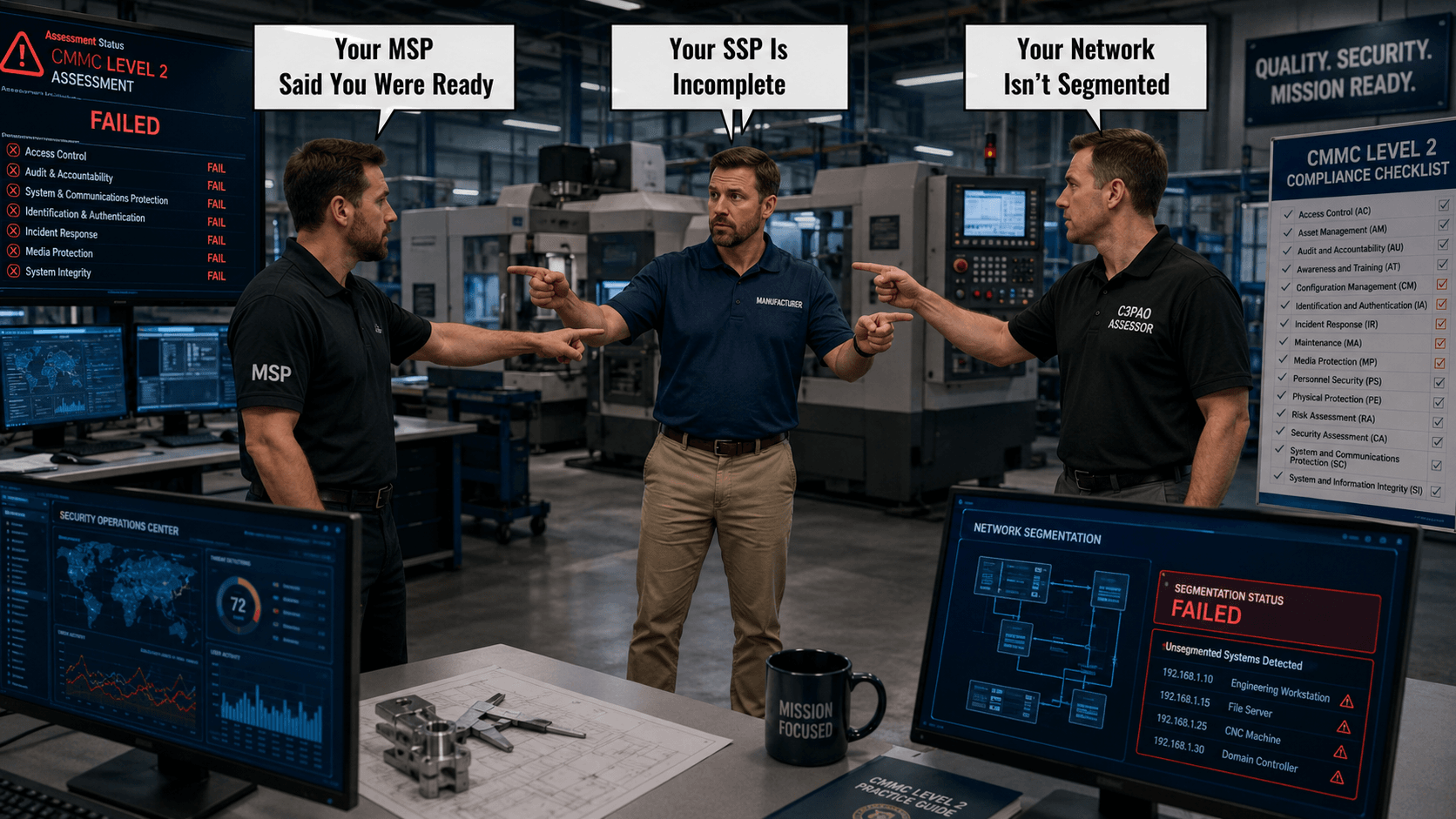
- Network segmentation (office vs shop floor)
- Firewall configuration and monitoring
- Logging and monitoring tools
- Backup and recovery testing
- VPN for remote access
Month 6: Documentation
CMMC isn’t just implementation—you have to document everything:
- System Security Plan (SSP)
- Policies and procedures for all 14 domains
- Configuration baselines
- Incident response plan
Month 7: Assessment
- Self-assessment first (internal check)
- Pre-assessment (optional consultant review)
- Official C3PAO assessment (third-party auditor)
- Fix any findings
- Receive your certificate (valid 3 years)
What CMMC Assessments Actually Look Like
Forget ISO 9001-style paper audits. CMMC assessors test your controls in real-time.
They will:
- Try to log in without MFA (it should fail)
- Check if encryption is actually enabled (not just documented)
- Review logs to verify you’re monitoring systems
- Test your incident response plan
- Interview employees about security practices
They won’t:
- Take your word for it
- Accept policies without proof
- Let you fix things during the assessment
Real-world example: One shop documented “MFA enabled on all systems” but the assessor found 3 admin accounts without MFA. The shop failed that objective. Don’t document what you plan to do—document what you’ve actually done.
Common Mistakes to Avoid
Mistake 1: Waiting Too Long
“We’ll get CMMC when our customer requires it.”
By the time your customer demands it, you’re 6-12 months away. You’ll lose the contract.
Mistake 2: Treating It Like Quality Certification
CMMC auditors test controls, not paperwork.
Mistake 3: Going It Alone
Your “IT guy” (even if good) probably doesn’t have CMMC expertise. Hire help.
Mistake 4: Choosing the Cheapest Option
Low-cost “CMMC in a box” solutions often result in failed assessments. You’ll pay twice—once for the cheap solution, again to do it right.
Mistake 5: Ignoring Your Suppliers
Your CAD/CAM vendor, ERP provider, and IT support company all need to be CMMC compliant if they touch your CUI. Ask for their certifications.
Cost Breakdown: What to Expect
20-person CNC shop, typical costs:
Year 1:
- Gap assessment & consulting: $20K-$40K
- IT upgrades (hardware, software): $15K-$40K
- C3PAO assessment: $10K-$25K
- Training & documentation: $10K-$20K
- Total Year 1: $55K-$125K
Years 2-3:
- Managed security services: $10K-$20K/year
- Software licenses: $5K-$10K/year
- Training refreshers: $2K-$5K/year
- Total per year: $17K-$35K
Year 4 (Re-assessment):
- Internal prep: $5K-$10K
- C3PAO re-assessment: $10K-$25K
- Total: $15K-$35K
3-year investment: $89K-$195K
Value protected: $2M-$10M+ in DoD revenue
ROI: 1,000%+ if you keep even one moderate contract
Timeline: When Do You Actually Need CMMC?
The official DoD timeline:
- 2025-2026: CMMC required in new contracts (already happening)
- 2026-2027: All contracts require certification at renewal
- 2027+: Full enforcement
Reality: Many prime contractors are requiring CMMC today, not waiting for official deadlines. If you’re in aerospace, defense electronics, or precision manufacturing, assume you need it within 6 months.
Getting Help: Where to Start
What to Look For:
- CMMC Registered Practitioner (RP) credentials
- Experience with manufacturing clients
- Track record of successful assessments
- Hands-on implementation support (not just consulting)
Who Can Help:
- CMMC Consultants (RPOs): Project management, documentation, assessment prep
- Managed Security Providers (MSSPs): Implementation, ongoing monitoring
- Virtual CISOs (vCSOs): Strategic guidance, policy development
- C3PAOs: Official assessors (don’t consult and assess—that’s a conflict)
Red Flags:
- “Get certified in 30 days”
- Unrealistically low pricing
- No CMMC credentials
- One-size-fits-all solutions
Rule of Thumb: If it sounds too good to be true, it is.
Quick Action Plan for CNC Shops
This Week:
1. Identify which contracts involve CUI
2. Talk to your prime contractors about their timeline
3. Run an informal security check (do you have MFA? Encryption? Backups?)
This Month:
1. Get a gap assessment (hire a consultant or use free NIST tools)
2. Calculate your budget
3. Build a compliance timeline
This Quarter:
1. Hire a CMMC consultant or MSSP
2. Start quick wins (MFA, encryption, training)
3. Begin documenting your System Security Plan
The Bottom Line
CMMC compliance isn’t optional if you want to stay in the defense manufacturing business. The shops that act now will secure contracts, avoid emergency scrambles, and spread costs over time.
The shops that wait will lose work, face rushed implementations, and get priced out of the market.
The choice is clear: Start your CMMC journey today.
—
Need Help Getting CMMC Compliant?
Capital Cyber specializes in CMMC compliance for CNC shops, machine shops, and precision manufacturers. We’ve helped dozens of defense contractors achieve Level 2 certification without disrupting operations or breaking the bank.
What we do:
- Gap assessments tailored to manufacturing workflows
- Hands-on implementation (not just paperwork)
- C3PAO coordination and assessment prep
- Ongoing compliance support
Ready to protect your DoD contracts? [Contact us for a free consultation](#) or call [Phone Number].
—
Keywords: CMMC compliance, CNC shop cybersecurity, manufacturing CMMC Level 2, defense contractor requirements, NIST 800-171, DoD cybersecurity, machine shop security
![CMMC Level 1 Requirements for Small DoD Contractors [2026]](https://capital-cyber.com/wp-content/uploads/2026/04/cmmc-level-1-requirements-small-dod-contractors-2026.png)
Leave feedback about this